![Logos.webp]](https://help.shopbox.com/hs-fs/hubfs/Logos.webp?height=22&name=Logos.webp)
Use this integration type if you want to post all product sales to one consolidated revenue account and keep the setup simple.
|
Integration type |
Simple Ledger / Ledger Journal, Simple |
|
Best for |
Businesses that want simple accounting without inventory deductions. |
|
Inventory deductions |
No |
|
Posting level |
Consolidated revenue account plus payments by payment type. |
In this article, we cover
- How Ledger Journal, Simple works
- How to set up the integration
- Which accounts to select for payment types and revenue
- How product and customer synchronization works
Why choose Ledger Journal, Simple?
-
All product sales are posted to one consolidated revenue account.
-
Payments are posted separately by payment type, such as cash, card and MobilePay.
-
The setup is easier to maintain than a more detailed category-based setup.
Before you begin
- You must have access to both Shopbox Backoffice and the relevant company in Business Central.
- The G/L accounts you want to use for payment types, VAT and revenue should already be created in Business Central.
- This integration does not support inventory deductions, so only select it if you do not need inventory management through Business Central.
Note: You must set up the integration for each branch. The “All client” option does not work.
Select the company and integration type
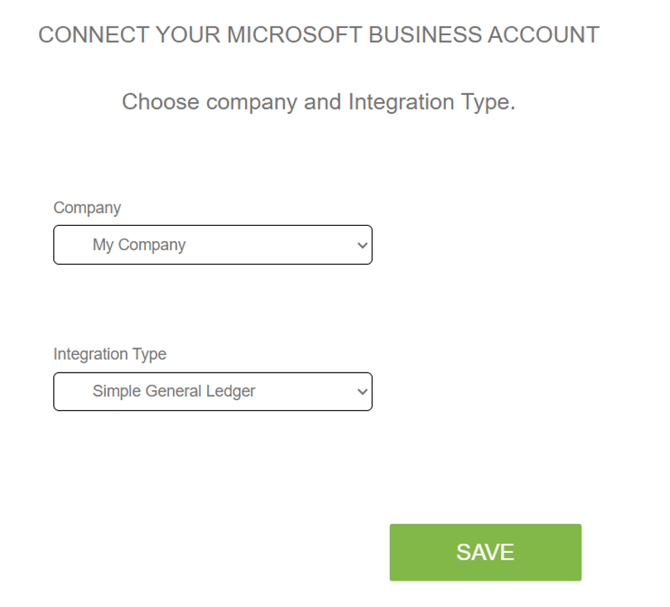
Select the company you want to connect the integration to and choose Simple General Ledger as the integration type. Then click Save.
Select accounts for payment types and VAT
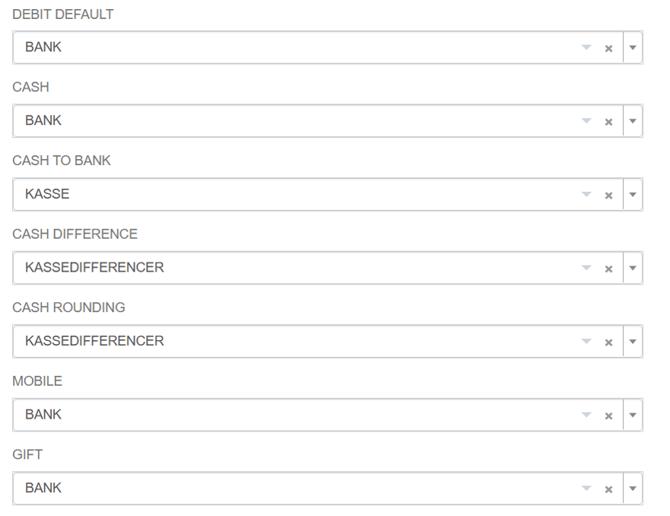
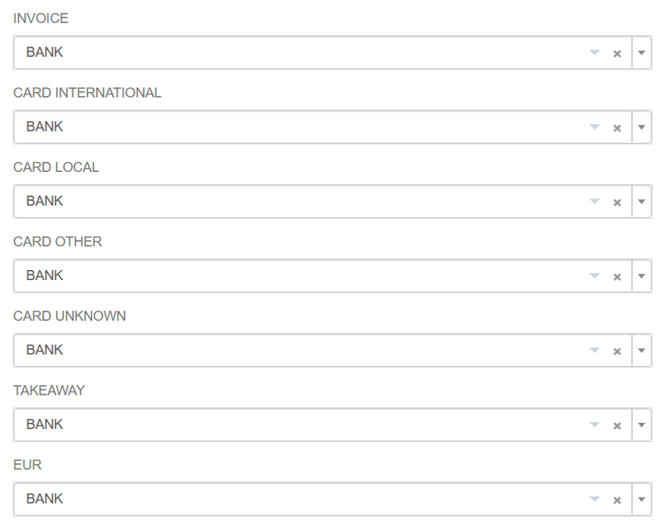
On this page, you select the accounts to which the individual payment types and other fields should be posted.
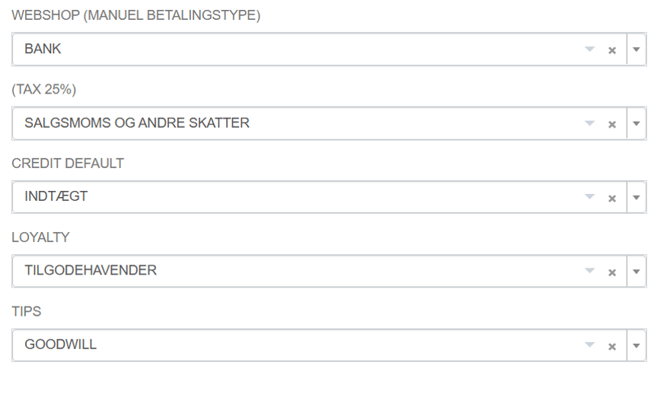
Fallback account and payment types
-
Debit Default: The fallback account used when a payment type has not been assigned its own account.
-
Cash: The account for cash holdings.
-
Cash to Bank: The account used when cash is removed from the cash register for deposit into the bank.
-
Cash Difference: The account for cash discrepancies identified during the end-of-day closing.
-
Cash Rounding: The account for rounding differences on cash payments.
-
Mobile: The account for mobile payments, such as MobilePay.
-
Gift Card: The account for gift card payments.
-
Invoice: The account for invoice sales when invoices are issued directly from Shopbox.
-
Card International: The account for international cards.
-
Card Local: The account for local cards, such as Dankort.
-
Card Other: The account for other card types, such as Amex and Maestro.
-
Card Unknown: The fallback account used when the card type cannot be identified.
-
Takeaway: The account for payments from takeaway platforms.
-
EUR: The account for payments in euros.
-
Webshop, manual payment type: The account for manually registered webshop payments.
-
TAX 25%: The VAT account for 25% VAT.
-
Tips: The account for tips or amounts charged above the purchase amount.
-
Credit Default: The revenue account to which the daily revenue is posted as a consolidated amount.
-
Loyalty: The account for revenue related to gift card sales.
Products and synchronization
-
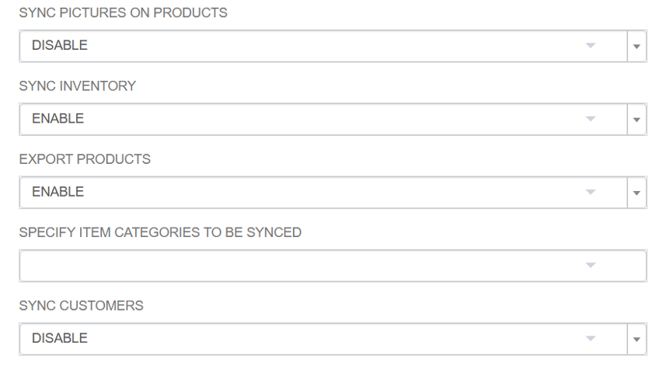
Sync Pictures on Products: Choose whether product images should be synchronized between Shopbox and Business Central.
-
Uncategorized Products: Select the default item category used when a product does not have a category.
-
Mixed Payment Product: Select the item to be used for mixed payments.
-
Specify Item Categories to be Synced: Select or specify the item categories to be synchronized.
-
Sync Customers: Choose whether customers should be synchronized between Shopbox and Business Central.